
Know what is included.
Turn unclear scope, allowances and dates into questions to resolve in writing.
Start a free quote review →Renovation planning for homeowners
A kitchen or bathroom starts with possibilities. Bring clarity to the quotes, decisions and costs that turn it into your home.
Start without an account, upload or email.
Already planning? Open your workspace.

From the first quote to the final detail
Turn unclear scope, allowances and dates into questions to resolve in writing.
Start a free quote review →Bring your brief, quotes, decisions and changes into one planning workspace.
Open your free workspace →Choose the next actions. Keep full approved costs and payments separate in Excel.
See the cost example →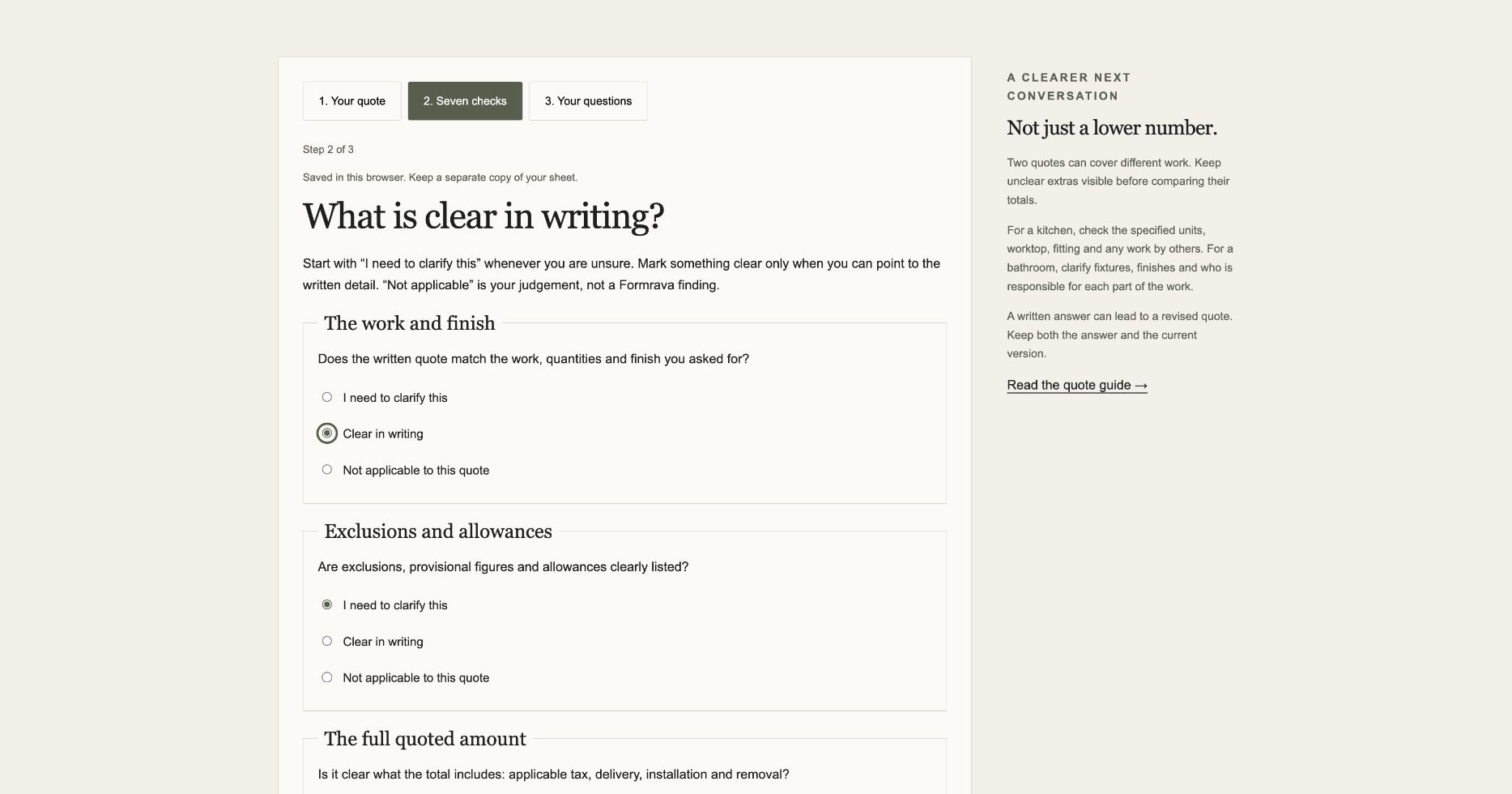
A useful first conversation
One quote. Seven areas to check. A conversation sheet you can actually use.
Mark what is clear in writing and what still needs an answer. Copy your supplier questions without your private notes, or keep the full sheet for yourself.
Create your conversation sheet →You assess the quote. Formrava organises your questions; it does not check the supplier or approve the work. The review stays in this browser.
Choose the support you need
Keep planning free. Add the complete Excel system when your project needs detailed records of approved costs, purchases and payments.
Plan in your browser
Free
No account or Excel needed. Saved in this browser; export a backup to keep a separate copy.
Start with the numbers
Free
Download from Payhip. Microsoft Excel access is separate.
Keep the detail together
$59 USD · one-time purchase
For budget, purchases, planning, decisions, changes and closeout. Excel access is separate.
When a quote becomes a commitment
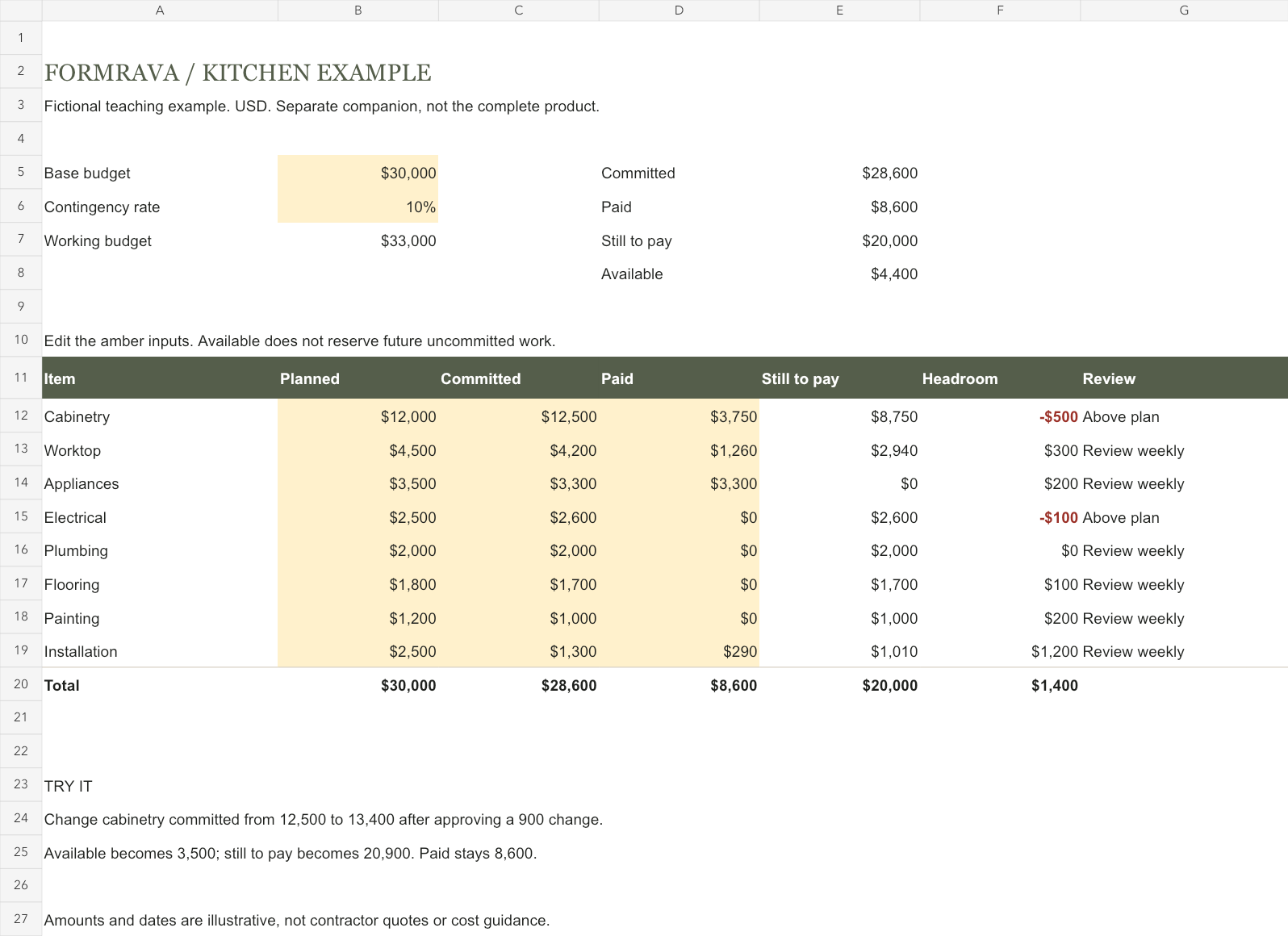
A $12,500 approved cost and a $3,750 deposit are two records of one commitment. There is still $8,750 to pay.
Follow the fictional kitchen example, then use the complete system to keep your own costs, purchases and changes together.
Digital download for Microsoft Excel. $59 USD once; Excel access is separate. The browser workspace and Excel files do not sync.
Keep a good question close
Read the part that meets your next decision. Then put it to work in your project.
Before you start
The quote review, browser workspace and Excel Budget Starter are free. The complete Renovation System is a $59 USD one-time purchase: an eleven-sheet workbook, five PDF guides and a separate Learning Kit. The free tools remain available whether or not you buy.
The workspace and quote review each save separately in this browser on this device, without an account or cloud sync. Export a JSON backup of the workspace. Copy or print the quote review before starting another one. Clearing browser storage can remove these local records.
The browser tools work without Excel. The Budget Starter and complete downloadable system are designed for Microsoft Excel; access to Excel is separate. Apple Numbers compatibility has not been verified.
Entries do not transfer automatically between the quote review, workspace and Excel. Nothing is sent to a supplier. The workspace shows flags from recorded dates while you use it; it does not send background reminders.
Buy through Payhip and download the ZIP. Extract it before opening the workbook and guides. Already bought Formrava? Use your original Payhip download link; you do not need to buy the same product again.
It supports planning and record-keeping. Confirm agreements, permissions, building requirements and specialist advice relevant to your work and location with the people qualified to assess them.
Your home. A clearer plan.